

 Oil & Gas
 Maritime
 Power Gen
 Chemicals
 Mining
 Sewers
 Cement
 Nuclear
 Infrastructure
.svg) Transportation
Transportation

 EN
EN
Autonomous Scanning Image Acquisition with Elios 3
Elios 3 users can now automate image acquisition across large planar surfaces with AutoScan. This feature helps teams capture consistent, photogrammetry-ready datasets for faster data navigation and detailed 3D inspection.
A photogrammetric inspection requires systematic image acquisition, with consistent coverage, sufficient overlap, and an appropriate level of detail. Achieving this manually across large surfaces can be demanding for the pilot and may lead to gaps or inconsistencies in the dataset. Navigating hundreds of individual images can also make it difficult to locate and assess defects in context.
AutoScan overcomes these challenges by automating image acquisition and enabling inspection data to be turned into cohesive 3D models for easier analysis.
In this article, we’ll explore the benefits of AutoScan, how it works, where it can be used, and what you need to get started.
What AutoScan Can Do for Your Inspections?
Consistent Coverage: For photogrammetry, images need sufficient overlap and a consistent level of detail. AutoScan follows a scan pattern based on the area, target resolution, and overlap you define, reducing the manual work involved and helping limit gaps in the dataset.
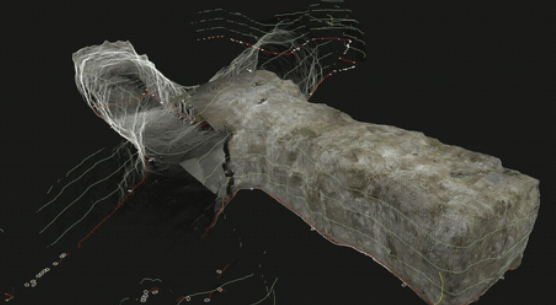
Easier Data Navigation: Once processed in compatible photogrammetry software, the images form a 3D model you can navigate. This makes it easier to locate areas of interest and return to the source images for a closer look.
3D Defect Assessment: A feature or defect may extend beyond a single photograph. Viewing it in 3D helps you understand its shape, extent, and position on the asset, while giving colleagues a shared reference for discussing findings.
Ready for Photogrammetry: Export the captured images and their associated position and orientation data to compatible photogrammetry software for 3D reconstruction and analysis.
AutoScan Launch Video


.png)